Custom CRM software development

Customer Relationship Management (CRM) applications enable businesses to streamline the productivity of their organizations by optimizing sales cycles and marketing strategies, and upselling as well as capitalizing on customer-related data and analytics.

In many companies, CRM and loyalty data are stored in different places, and that issue may be replicated across different brands.

CRM and loyalty tend to be completely different programs. The reasons for this are often organizationally based, which is a big issue that we can’t tackle in this article. Suffice to say that, while loyalty programs have many factors that make them special (currency vs. no currency, tiers, accounting, platforms, etc.), the key concept is that loyal customers are a segment of your existing customers.

Yes, there should be initiatives that are specific to loyalty programs, but modern CRM takes into account loyalty data and desired next action for every touch point or campaign. Further, the idea is to turn new customers into loyalists — two points on the same continuum, not two points in different programs.

Your customer data allow you to identify your best customers and to develop a customer strategy to get more customers like them. This information should power your acquisition media, which may in fact leverage the CRM data itself for look-alike models.

Then, when people are on owned properties such as your website, your ability to entice visitors to sign up, fill out, download, buy, etc. are enhanced by what you know about what has worked before.

Who among us has not seen search or display drive traffic that only results in a cookie? CRM data and the knowledge of what has worked at the enterprise level, in conjunction with enterprise decision-making, allow us to make the best choices to convert a browser or prospect into a hand-raiser, a customer, or a full-fledged advocate.

Build Your Own CRM With Drag – Drop

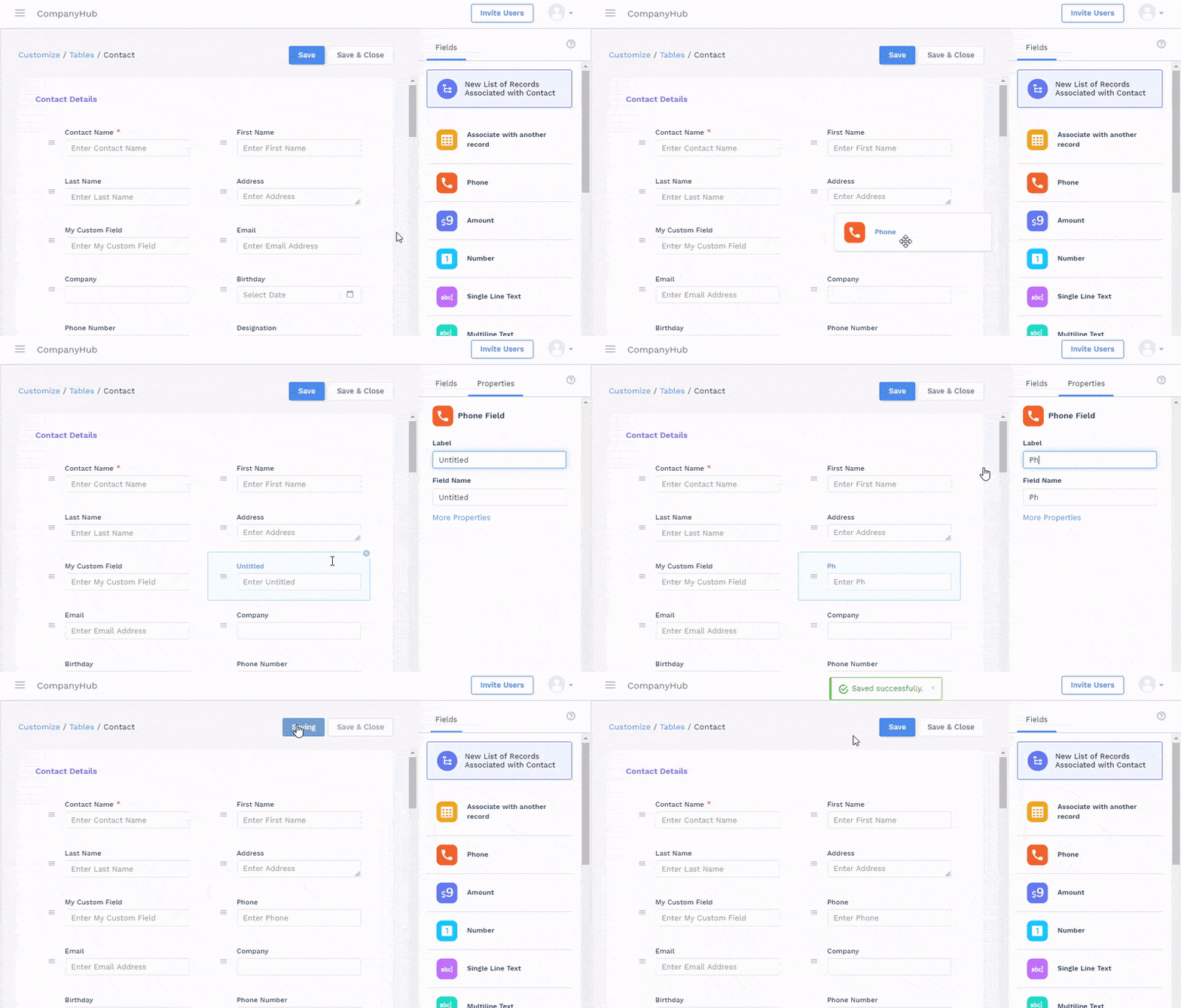
Custom Fields

Track any information like geography, industry, size etc or associate different records using custom fields.

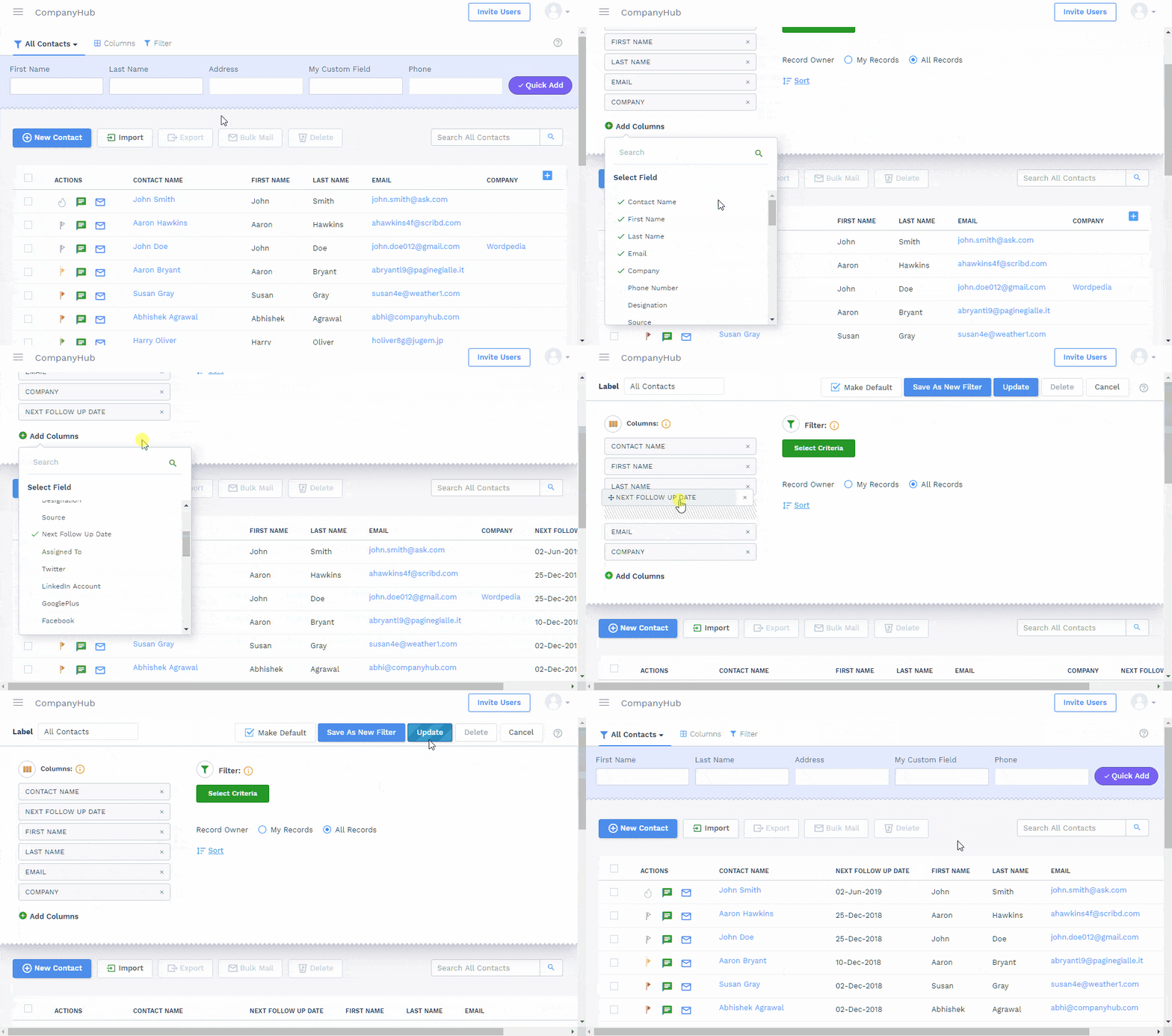
Save Filters / Change Columns

You can filter records in 1 click, create new filters, change columns and set default filters.

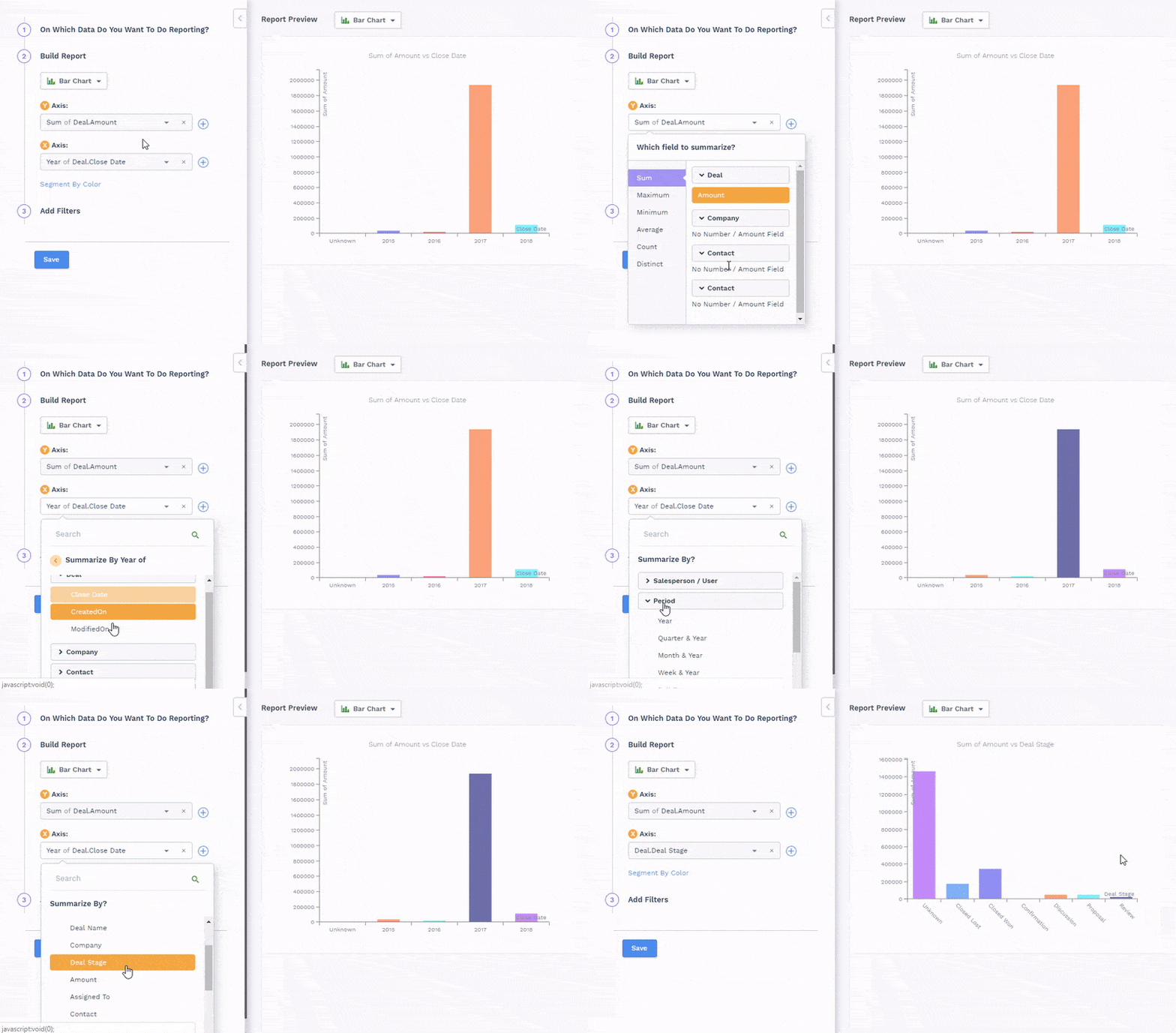
Custom Reports

You can create your own reports on any data including custom fields & tables

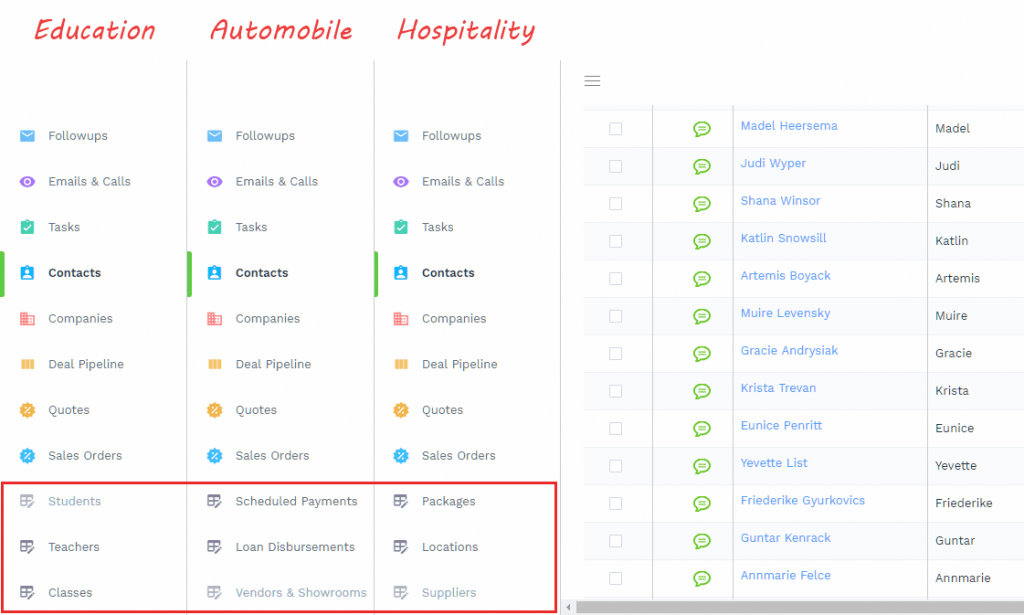
Custom Forms / Tables

In many cases you might want to track data other than contacts, companies, deals etc, which you don’t see in CompanyHub by default. Like Payments, Courses, Properties etc. They will have own forms and data. You can track them by creating custom tables and adding fields to them.